Monday, June 6, 2016

A Spring Data Cleanup Can Be A Great Thing

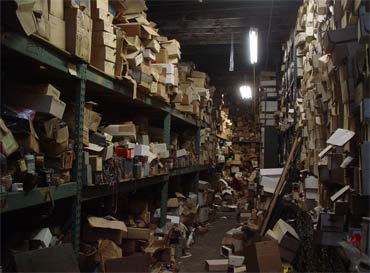
clutterYou’d think with the rise of digital files there would be a lot less clutter in our lives. In many cases clutter has gotten worse. You can open a folder on your computer and sometimes find hundreds of files and photos that you don’t even need. You might also have a dozen email accounts or old digital receipts for that pair of pants you had dry-cleaned five years ago. A lot of this information is unnecessary and if you had received a paper file it would be long gone by now.

You need to be proactive about what you keep and what you get rid of. Do you really need that photo of your dessert that you shared on social media four weeks ago taking up space on your phone? Probably not.

I’ll be the first to admit it: I’m a digital hoarder. My devices, cloud storage, and email accounts are full of old notes, photos, Seamless receipts, bills, music, and videos.

I usually put off organizing them until it’s too late. Then, inevitably, I’ll pose to snap a selfie on vacation, and find my phone is out of memory. Or while I’m on deadline, I’ll get a notification saying my disk or cloud-storage space is full. And I live in dread of the day a hacker accesses some tidbit of personal or financial information that I’ve carelessly forgotten about.

So, I’ve decided it’s time to spring-clean my digital life.

Just as it’s traditional to clean out our closets, attics, and garages each spring, IT experts say it’s good practice to clear out and refresh your digital spaces at least once a year. It keeps them running smoothly and protects your security. It’s a hassle, sure, but spending an hour or two this weekend to get your digital house in order could save you an enormous amount of time, money, and heartache in the future. Here are few tips to get started.

Close unnecessary accounts

Many of us couldn’t easily list how many online accounts we have. There’s email (I have at least five accounts), social media, online shopping, banking, subscription services, and a myriad of others we may not even remember signing up for. Not knowing what data we have out there makes us vulnerable. Shared passwords and security questions are a hacker’s gateway into your private accounts.

Via: http://qz.com/691307/digital-spring-cleaning-tips-to-help-speed-up-and-secure-your-devices/

Just as you wouldn’t live in a house full of newspapers from before you were born, you want to make sure that your digital existence is just as neat and tidy. The tips offered above make cleaning up your digital space easy.

Between smartphones, laptops, tablets and computers your digital storage space can be huge. This just makes it easier to fill up with stuff you don’t need or will easily forget about. The less junk you have to sift through the easier it will be to find the files that are actually important. You’ll also have more memory space to save projects that are current while disposing of information you no longer need.

It may seem like a daunting task to complete, but if you follow the tips and tricks we’ve just given you you’ll find that it’s easier than you think.

The blog post A Spring Data Cleanup Can Be A Great Thing was originally published to HDRG Blog

Wednesday, June 1, 2016

Recover Data From An External Hard Drive Like A Pro

external-drive-recoveryStorage technology has truly exploded over the last 10 years, and has virtually changed the world over the last thirty years. No generation has seen a greater change in the way they communicate, what with email, text and the mass acceptance of the cell phone. Computers are no longer huge machines that can take up an entire floor in a building. With the invention of smartphones, tablets and laptops, all your data is as portable as you are.

But with great advancement comes great responsibility. Many people have learned, the hard way, that you need to have copies of all of your important data in multiple places. If you have all your files in one place you’re going to be in big trouble if that device ever breaks down on you. Oh, and they do. So instead of just saving your files on your laptop or tablet you’d be smarter if you also backed up your files on an external hard drive or a USB stick.

Take caution, however, depending on your back up method. Nothing is foolproof and you want to make sure you save yourself some agony in the long run.

The purpose of backing up files is that you keep current copies of whatever you’re working on in more than one location. You save it on your laptops hard drive but you also back up your files to an external hard drive every other day or once a week, depending on how busy you are.

You should be safe; unless you’re putting unique files on your external hard drive that don’t exist anywhere else. As PC World notes:

When you store files on an external drive, it’s easy to forget my first rule of tech storage: Never have only one copy of anything. We tend to think of external drives—especially external hard drives—as a backup medium, so of course anything on the drive must be a backup.

But if files exist only on that external drive, they are not backed up. And you need to make sure they get backed up to something other than that particular drive—whether it’s an internal drive, the cloud, NAS, or another external drive.

Okay, the mistake has been made. Now let’s try to get those files back.

When you try to use the drive, does it make noises you’ve never heard before—clicking, for instance, or grinding? If so, make no attempts to recover the files yourself. Send the drive to a data recovery service.

Via: http://ift.tt/1WwIyAG

If your device is not making any noises, the PC World article is going to teach you some easy troubleshooting tips to recover your hard drive to its former glory. Computer repair doesn’t have to be intimidating and it’s nice to know that there are some repairs even an average Joe or Jane can do on their own.

Now that you’ve learned these skills be sure to keep them handy. Remember to properly back up your data in the future as well. It’ll save you a lot of tears.


The following post Recover Data From An External Hard Drive Like A Pro is available on HDRG Blog

Monday, May 26, 2014

Easy Configuring The Shadow Copy Data Recovery Feature

When things go in a wrong direction while working on a computer or some electronic gadgets, people tend to panic. It happens that users often erase important files from their computer because they thought they are useless. And this is where the shadow copy data recovery can help them. The shadow copy is a feature that is part of Windows Vista operating system and which was created in order to help users restore their lost documents. Of course, this is possible if a user configured the feature like it’s supposed to and also if the feature was enabled.

Besides Windows Vista, the shadow copy is also a part of Windows 7 operating system. Indeed, as an idea, it was made back in 2003. It is created as very simple tool, so almost anyone is possible or capable to use it, but still a user should know some details in order to perform the restoration properly. Before using the feature, a user should first configure the shadow copy data recovery. The System Property is where you should start if you want to configure the feature. If you don’t feel capable for doing that, ask an expert to help you and arrange it all for you. continue reading

Monday, May 19, 2014

Professionals Will Stop Bad Rebuild RAID 5

If you want to avoid bad rebuild RAID 5, search for professionals who will do that instead of you. It is always good to be familiar with basics of how the RAID functions and also know the technical description on a system. But if you want to recover lost data, then you should not focus on manufacturer and their service to recover your data if you need them to rebuild your RAID 5. They will be focused on fixing the drives or how the equipment is functioning and not on how to recover your data because they mostly believe that you made the back up.

It is good to replace the damaged disk as soon as you discover the failure or anomaly. Before replacing the disk, the back up is obligatory because you cannot risk losing data. When replacing disks, make sure you have tested the new disk and that it is clean and correct. It has to fit your RAID 5 system and all its specifications. You need to be sure that the system will function perfectly after the replacement because if you are not, then you are risking a bad rebuild RAID 5. If you are not sure, hand it to your coworkers.

Files Deleted By Accident Returned By Shadow Copy Data Recovery Feature


Did it ever happen to you to scroll through your files looking for those you can delete in order to free space on your drive? If the answer is positive, then you are not the only one who did that because many users like to clean the computer drives and make space for new documents. But what if you erased the important ones? In that case, you will need shadow copy data recovery feature. Perhaps you already have it if you are using Windows Vista or Windows 7, but maybe you have not enable the feature or you did not know that it is part of your system.

For your information, the shadow copy feature is available for the two Windows operating systems mentioned above, but you need to enable it and then simply use it. The usage is not complicated like it seems. By the way, any feature existing on Windows systems is simple if you have basic knowledge in computer science. For using the feature called shadow copy data recovery, you will need to learn few steps on how to configure the feature properly and the rest will go easy. You will be able to return the documents you have erased. continue reading

Monday, May 12, 2014

Prevent RAID Repair And Save Your Precious Time

Saving time is one of the main things each worker has to obtain, besides earning money. Work is efficient only if it saves time while doing a job. That’s why all the technical things and gadgets have been invented – to save time and help the efficiency to grow. RAID system is just like that; it saves time and enlarges the efficiency. Do not let your time to be spent on RAID repair, but rather prevent the failure by simple steps. One of them is regular disk replacement. If a disk is old and damaged, it has to be replaced as soon as possible.

The other step is listening to the sounds that are being produced by disks. If these sounds are suddenly too noisy or if they remind you of creaking, you can prevent the RAID repair if you immediately call for service who will examine the RAID system and check whether it’s some problem on it. Doing the back-up once in awhile can also prevent the data loss, because if you suddenly lose power while the system is turned on, you may lose the data, but if you have done the back-up, you can feel safe because your data will be saved.

Do The Back Up Before Rebuilding RAID 5


In order to avoid bad rebuild RAID 5 try to prepare yourself for the operation. If you do something wrong, you will risk the success of your work. Make sure that you have tested the subsystem before you try to recover it from a failure that occurred on a drive. Also, make sure that you have done the proper back up. After you do the back up, you will be able to remove the drives safely from the subsystem. You can do that while the subsystem is running. Returning the system back to its original condition will be possible after you replace the drive with completely new and blank one.

The drive replacement is the most important part of this recovery process, so if you are not experienced, do not perform it, but leave it to the technicians. You do not want to cause bad rebuild RAID 5, do you? Also, experts like to mention users that they need to know the difference between RAID 5 and other systems such as RAID 0 or RAID 1 and similar. The distinction may seem not important, but it is indeed very important and user should know how the RAID 5 differs from other RAID systems. look here

Sunday, March 17, 2013

Selecting A Hard Drive Repair Firm

One of the most vital parts of a computer is the hard drive. This is where the files that you saved on the device are stored. It contains the computer’s operating system, too. For this reason, it is of great importance to ensure that your hard drive is always at its best condition. Unfortunately, you cannot keep an eye on your hard drive all the time. You may be surprised that your computer abruptly shows signs of breakdown. Electrical disturbance, virus attack, erroneous usage and overusing the device are just some of the causes of hard drive failure. In case any of these happens to your computer, you better call a hard drive repair service company for immediate assistance. When picking a hard drive repair company, take note of its years in service. Many computer repair firms do not last long because of incapacity to perform well. Customers are not likely to come back if they are not satisfied with the outcome. Choose hard drive repair firm wisely and you can do this by seeking recommendations from your trusted friends. They might know of a computer repair company of which performance is really gratifying. This way, you are assured that your hard disk will get back to its normal condition.

Reputed Providers Of Hard Drive Repair Services

The hard drive is regarded as the heart and soul of a computer. When you save your files, this is where documents are stored up. Apart from your data, it also contains the device’s operating system. If the hard drive malfunctions, the entire computer will not be operative. This simply means that the hard drive should be well taken care of. You should be cautious when downloading files from the internet. Your computer must be equipped with anti-virus software. Do not click on suspicious links. Also, do not let the kids mess up with your computer. You must guide them when they need to use it. In case, your hard drive still breaks down despite all these precautions, make sure you acquire the hard drive repair service. Its provider should be proven in terms of providing quality computer repair service. It should be known for its prompt repair performance and one that does not ask for unreasonable payment. One way you can determine the reputation of any particular firm is when it offers free consultation. The company does not have to charge you of any amount when analyzing your hard drive problem. It signifies that the firm is not just after the money.

How To Deal With Hard Drive Failure

The hard drive plays a very important in making the computer operational. It is where the files are stored. It also houses the operating system, which is another vital element in computers. For this reason, you must be very attentive when your hard drive shows signs of failure. You must take advantage of the continuing emergence of hard drive repair service firms. Many individuals are investing on these firms to meet the demands of the public. Almost every household has a computer but not everyone can fix it in case of hard drive failure. However, even if there are loads of companies that provide hard drive services, not all of them are worthy of your trust. Your computer is where your pertinent documents are stored. You need to take care of these files, especially if these are confidential data. You do not just send your computer to a repair shop without knowing if its personnel are reliable.
The internet is a great source of tips when hunting for a reliable and competent provider of this service. Read the testimonials of former clients to weigh up the caliber of the shop and the capacity of its personnel. Ask how much money you will be asked to pay so you can compare it with the other companies.

Immediate Response On Your Hard Drive Needs

If you are running a business online, you tend to store too much files on your computer. It is important that you have backup files to secure all these important documents. Also, you must handle your computer at all times. Make sure it is equipped with anti-virus software to keep it protected from the threats of damaging elements. If you notice something strange about your hard drive, immediately consult a hard drive expert. You can easily find a shop that offers RAID drive repair service. The one nearest your residence is a great option but only if you are certain of its efficiency. In case you do not know where to run to, you may conduct a research at home using your internet access. Find out which hard drive repair firms you can seek help from in an instant. Check on its reputation by thoroughly scrutinizing its website or talking to its customer service representative. It is important to have your hard drive problem attended immediately. Waiting for a few more days is not advisable as you might end up losing your files and you chances of recovering them will be slimmer. Also, advise the technician that you want your files recovered. This is simply to remind the person and to be certain that he will make it one of his priorities.