Showing posts with label Hard Drive Recovery Group - Feed. Show all posts

Tuesday, June 14, 2016

Here’s A Quick Way To Speed Up Your Computer

It’s agony to wait. Whether you’re waiting for the next episode of your favospeed-up-computerrite show to come on, waiting for your food to finish cooking or waiting for your computer to just turn on, it can feel like torture.

No one likes waiting and people are getting more and more impatient than they ever have before. They want to be able to find the answer to their question five minutes ago not five minutes later. Admit it. You may just be one of those people.

Computers require maintenance and if you use something often enough you are going to be faced with wear and tear. This is going to lead to a loss in speed. Which sucks.

You might think that you need to buy a new computer every two years or so because technology is advancing and you need a new one to keep up and keep those speeds where you like them. This is where you’d be wrong:

No matter how much money you spend on a computer, if you don’t maintain it regularly, it can become noticeably slower in a fairly short period of time.

Properly maintained, there’s no reason your computer shouldn’t perform reasonably for at least five or six years, if not longer.

Keep in mind that the more time you spend on the internet, the more your computer is exposed to unwanted programs and malware that can have a big impact on your machine’s performance.

There are plenty of do-it-yourself steps you can take to help improve performance, but if those don’t yield the kind of improvement you’re looking for, having you computer serviced instead of replacing it will still be your best bet.

Start with boot times

Start your evaluation with the length of time it takes your system to boot up from a cold start. The longer it takes, the more likely your computer has been loaded with programs that have inserted themselves into your startup routine.

Not only does this cause your computer to take forever to start, it hogs up valuable working memory (RAM), which makes everything slower.

You can do a quick test by opening the MSConfig utility and switching to the “Diagnostic startup” mode, which tells the computer to only load the basic necessities at the startup.

Via: http://wtop.com/consumer-tech/2016/06/column-tips-speeding-computer/

Also, have you ever heard of defragmenting your hard disk? It’s a super easy process that you can access through the Windows Disk Cleanup utility. You should probably do that at least once a month. It’ll definitely help get rid of all those files that you don’t use.

Warning: do not defragment your SSD drive... For one, it is not necessary. Also, an SSD drive accesses all data directly, and isn't subject to the same access issues that a regular HDD is. The main reason you want to avoid this is that SSD drives, if continually exposed to writing and re-writing (exactly what a defragment does), will fail. Read more about this here: http://www.harddriverecovery.org/blog/recovering-from-ssd-failure/

These are all simple steps that anyone with super basic computer knowledge can do. If you aren’t sure if you’re running the right tools you can ask someone you know to show you how. Once you get in a routine you’ll be able to keep your system running smooth and quick, just like you wanted.

Isn’t it nice to not have to wait fifteen minutes for a cat video to load?

The following blog article Here’s A Quick Way To Speed Up Your Computer was originally published to The Hard Drive Recovery Group Blog


Friday, June 10, 2016

Laser Data Storage: The Future Is Now!

laser-data-storageWe are a generation of impatient people. We want everything, at our fingertips, as of thirty seconds ago, without expending a lot of energy to get it done. It’s not that we’re lazy; it’s that we’re constantly looking for ways to make our lives more efficient. No one remembers random facts of knowledge any more when it’s that much faster to just ‘Google it’.

Storing and retrieving our data needs to follow the same vein; it needs to be fast and easy. There has been some research into making the process faster for us and one of the surprising tools used to achieve this is: lasers.

Not shooting-out-of-your-eyes lasers but lasers nonetheless. Read on about how this came about:

As we use more and more data every year, where will we have room to store it all? Our rapidly increasing demand for web apps, file sharing and social networking, among other services, relies on information storage in the "cloud" – always-on Internet-connected remote servers that store, manage and process data. This in turn has led to a pressing need for faster, smaller and more energy-efficient devices to perform those cloud tasks.

Two of the three key elements of cloud computing, microchips and communications connections, are getting ever faster, smaller and more efficient. My research activity has implications for the third: data storage on hard drives.

Computers process data, at its most fundamental level, in ones and zeroes. Hard disks store information by changing the local magnetization in a small region of the disk: its direction up or down corresponds to a "1" or "0" value in binary machine language.

The smaller the area of a disk needed to store a piece of information, the more information can be stored in a given space. A way to store information in a particularly tiny area is by taking advantage of the fact that individual electrons possess magnetization, which is called their spin. The research field of spin electronics, or "spintronics," works on developing the ability to control the direction of electrons' spins in a faster and more energy efficient way.

Shining light on magnets

I work to control electrons' spins using extremely short laser pulses – one quadrillionth of a second in duration, or one "femtosecond." Beyond just enabling smaller storage, lasers allow dramatically faster storage and retrieval of data. The speed comparison between today's technology and femtosecond spintronics is like comparing the fastest bullet train on Earth to the speed of light.

In addition, if the all-optical method is used to store information in materials that are transparent to light, little or no heating occurs – a huge benefit given the economic and environmental costs presented by the need for massive data-center cooling systems.

Via: http://phys.org/news/2016-06-lasers-storage-faster.html

Seriously, is that not cool or what? It’s good for the environment, helps with our increasingly real struggle of finding actual space for all our data. It’s a process that would obviously occur behind the scenes but you’d get to imagine the tiny lasers hard at work storing all your important data.

In the meantime, we're still working with good ol' platter and spindle and the fairly new SSD drives. Times are changing, but maybe not fast enough!

Laser Data Storage: The Future Is Now! was initially published on HDRG Blog

Monday, June 6, 2016

A Spring Data Cleanup Can Be A Great Thing

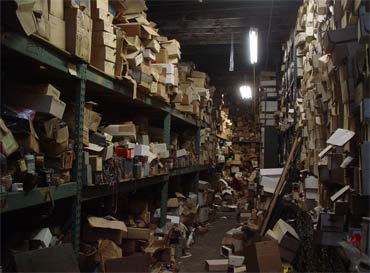
clutterYou’d think with the rise of digital files there would be a lot less clutter in our lives. In many cases clutter has gotten worse. You can open a folder on your computer and sometimes find hundreds of files and photos that you don’t even need. You might also have a dozen email accounts or old digital receipts for that pair of pants you had dry-cleaned five years ago. A lot of this information is unnecessary and if you had received a paper file it would be long gone by now.

You need to be proactive about what you keep and what you get rid of. Do you really need that photo of your dessert that you shared on social media four weeks ago taking up space on your phone? Probably not.

I’ll be the first to admit it: I’m a digital hoarder. My devices, cloud storage, and email accounts are full of old notes, photos, Seamless receipts, bills, music, and videos.

I usually put off organizing them until it’s too late. Then, inevitably, I’ll pose to snap a selfie on vacation, and find my phone is out of memory. Or while I’m on deadline, I’ll get a notification saying my disk or cloud-storage space is full. And I live in dread of the day a hacker accesses some tidbit of personal or financial information that I’ve carelessly forgotten about.

So, I’ve decided it’s time to spring-clean my digital life.

Just as it’s traditional to clean out our closets, attics, and garages each spring, IT experts say it’s good practice to clear out and refresh your digital spaces at least once a year. It keeps them running smoothly and protects your security. It’s a hassle, sure, but spending an hour or two this weekend to get your digital house in order could save you an enormous amount of time, money, and heartache in the future. Here are few tips to get started.

Close unnecessary accounts

Many of us couldn’t easily list how many online accounts we have. There’s email (I have at least five accounts), social media, online shopping, banking, subscription services, and a myriad of others we may not even remember signing up for. Not knowing what data we have out there makes us vulnerable. Shared passwords and security questions are a hacker’s gateway into your private accounts.

Via: http://qz.com/691307/digital-spring-cleaning-tips-to-help-speed-up-and-secure-your-devices/

Just as you wouldn’t live in a house full of newspapers from before you were born, you want to make sure that your digital existence is just as neat and tidy. The tips offered above make cleaning up your digital space easy.

Between smartphones, laptops, tablets and computers your digital storage space can be huge. This just makes it easier to fill up with stuff you don’t need or will easily forget about. The less junk you have to sift through the easier it will be to find the files that are actually important. You’ll also have more memory space to save projects that are current while disposing of information you no longer need.

It may seem like a daunting task to complete, but if you follow the tips and tricks we’ve just given you you’ll find that it’s easier than you think.

The blog post A Spring Data Cleanup Can Be A Great Thing was originally published to HDRG Blog

Wednesday, June 1, 2016

Recover Data From An External Hard Drive Like A Pro

external-drive-recoveryStorage technology has truly exploded over the last 10 years, and has virtually changed the world over the last thirty years. No generation has seen a greater change in the way they communicate, what with email, text and the mass acceptance of the cell phone. Computers are no longer huge machines that can take up an entire floor in a building. With the invention of smartphones, tablets and laptops, all your data is as portable as you are.

But with great advancement comes great responsibility. Many people have learned, the hard way, that you need to have copies of all of your important data in multiple places. If you have all your files in one place you’re going to be in big trouble if that device ever breaks down on you. Oh, and they do. So instead of just saving your files on your laptop or tablet you’d be smarter if you also backed up your files on an external hard drive or a USB stick.

Take caution, however, depending on your back up method. Nothing is foolproof and you want to make sure you save yourself some agony in the long run.

The purpose of backing up files is that you keep current copies of whatever you’re working on in more than one location. You save it on your laptops hard drive but you also back up your files to an external hard drive every other day or once a week, depending on how busy you are.

You should be safe; unless you’re putting unique files on your external hard drive that don’t exist anywhere else. As PC World notes:

When you store files on an external drive, it’s easy to forget my first rule of tech storage: Never have only one copy of anything. We tend to think of external drives—especially external hard drives—as a backup medium, so of course anything on the drive must be a backup.

But if files exist only on that external drive, they are not backed up. And you need to make sure they get backed up to something other than that particular drive—whether it’s an internal drive, the cloud, NAS, or another external drive.

Okay, the mistake has been made. Now let’s try to get those files back.

When you try to use the drive, does it make noises you’ve never heard before—clicking, for instance, or grinding? If so, make no attempts to recover the files yourself. Send the drive to a data recovery service.

Via: http://ift.tt/1WwIyAG

If your device is not making any noises, the PC World article is going to teach you some easy troubleshooting tips to recover your hard drive to its former glory. Computer repair doesn’t have to be intimidating and it’s nice to know that there are some repairs even an average Joe or Jane can do on their own.

Now that you’ve learned these skills be sure to keep them handy. Remember to properly back up your data in the future as well. It’ll save you a lot of tears.


The following post Recover Data From An External Hard Drive Like A Pro is available on HDRG Blog